
If you run a Shopify store and you’ve looked into automation, you’ve probably run into the same three names: Zapier, Make and n8n. All three can connect Shopify to your other tools. All three can take repetitive work off your plate.
I build on all three, and I pick a different one depending on the job. The deciding factor usually isn’t features. It’s how each one charges you once your store gets busy.
Prices below were checked in September 2026. These tools change their plans often, so check the official pricing pages before you commit: Zapier, Make, n8n.
The short version
- Zapier is the easiest to live with. Great for simple “when this happens, do that” jobs with low volume.
- Make is more flexible and cheaper per step. Great for multi-step jobs that need to reshape data along the way.
- n8n charges per run, not per step. Great for high-volume or complex jobs, if you’re comfortable with a bit more setup.
How each one charges you
This is the part most comparisons skip, and it’s the part that decides your monthly bill.
Zapier charges per task. Every action a Zap completes counts as a task. The trigger that starts it doesn’t count. The free plan gives you 100 tasks a month and two-step Zaps. The Professional plan starts at $19.99 a month billed annually ($29.99 monthly) for 750 tasks, and the price climbs as you add more.
Make charges per credit. Each module action in a scenario, like adding a row to a Google Sheet, uses one credit. The free plan gives you 1,000 credits a month, and the Core plan starts at $12 a month (about $10 billed annually) for 10,000 credits. AI features can use extra credits.
n8n charges per execution. An execution is one full run of a workflow, no matter how many steps it has or how much data it moves. The cloud Starter plan is €20 a month billed annually for 2,500 executions. There’s also a free Community Edition you can host yourself, where you pay only for the server.
Why that difference matters for a store
Take a job most growing stores end up needing: a nightly stock update from a supplier.
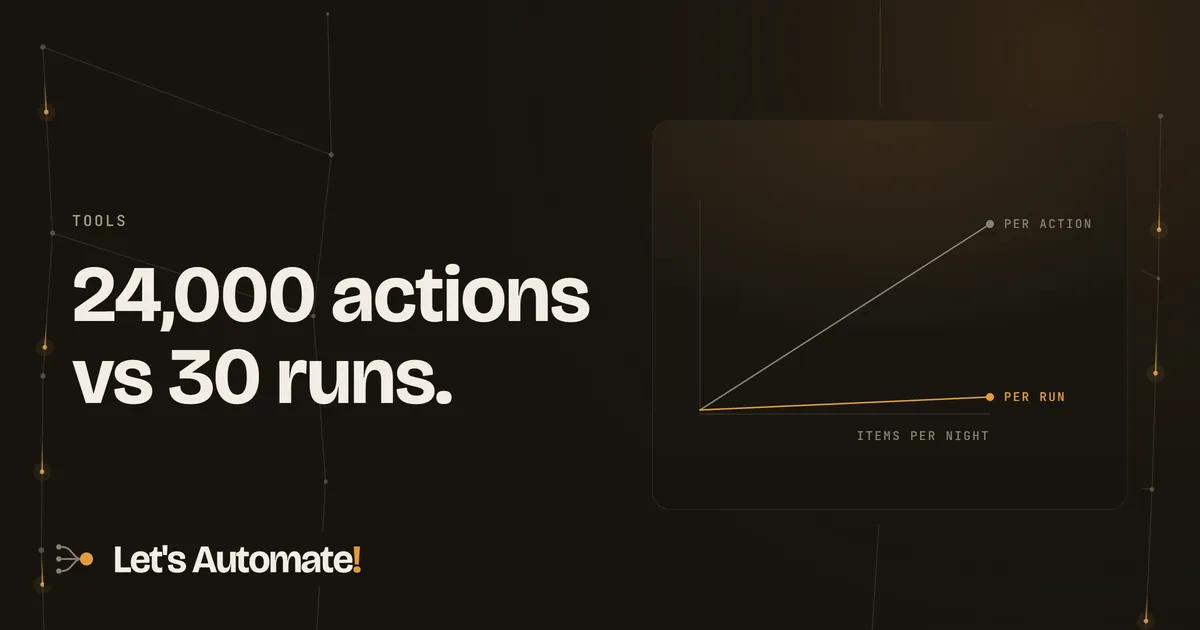
Say the supplier’s file covers 800 products, and your automation updates each one. On a per-action tool, that’s roughly 800 actions a night, or about 24,000 a month. That’s well past Zapier’s entry tier, and more than double Make’s.
On n8n, it’s one execution a night. About 30 a month.
In practice, a well-built sync only updates the products that actually changed, which brings the per-action numbers down a lot. If 50 products change a night, that’s around 1,500 actions a month. Still, the pattern holds: the more items a job touches, the more per-run pricing wins.
Now flip it. Say the job is “when a new order comes in, post it to the team chat and add it to a sheet”. That’s two actions per order. At 200 orders a month, it’s 400 tasks, comfortably inside Zapier’s Professional plan, and you get the easiest tool of the three to live with.
Which one fits your store
Pick Zapier if:
- The job is simple: one trigger, a few actions.
- Volume is low to moderate.
- You want to be able to open it and understand it yourself.
- It connects to a less common app. Zapier’s app library is the biggest.
Pick Make if:
- The job has several steps, branches or data that needs reshaping along the way (splitting names, formatting dates, matching records).
- Volume is higher, and Zapier’s task count would add up fast.
- You like seeing the whole flow laid out visually.
Pick n8n if:
- The job touches a lot of items at once, like stock syncs, bulk updates or reports.
- You need logic the no-code tools struggle with, or a bit of custom code in the middle.
- You’d rather pay per run than per step.
- You’re happy for someone to look after the setup, especially if it’s self-hosted.
What I’d actually do
For most small Shopify stores, the answer is “more than one, for different jobs”. Simple notifications and lead follow-ups often sit happily in Zapier. Anything that touches hundreds of products every night goes on n8n, or on a small script when no tool can reach the data. I built one sync where a supplier’s stock was only visible behind a login, so a scraper logs in and reads it, and the rest runs on its own. You can read about that build in the case study.
The tool matters less than getting the job right. A cheap automation that breaks on a busy weekend isn’t cheap.
Not sure which one you need?
That’s exactly what the free call is for. Tell me what you want automated and which tools your store already uses, and I’ll tell you which platform fits, what it’ll cost to run each month, and whether it’s worth doing at all. Book a free 30-minute call.
